
Disclosure: I built Repostify, the app in this post. I’ll tell you where it falls short too.
I make coding memes. When one does well on Instagram, it deserves a shot on every other app too, but posting the same video seven times by hand gets old fast.
So I built Repostify. This is my actual setup, including the parts that still aren't fully automatic.
instagram.post(meme)
  → tiktok          // needs a tap
  → youtube.shorts  // caption shortened
  → facebook
  → linkedin
  → x               // caption fit to 280
  → bluesky         // caption fit to 300
1. Post where you already post
I post on Instagram first, like always. Repostify checks for new posts about every 10 minutes, and a new post starts moving to the other platforms once it shows up.
Instagram doesn't have to be the starting point. Facebook, X and Bluesky work too. TikTok and YouTube can't, and I wrote a whole post on why: Why Repostify can’t crosspost from TikTok or YouTube.
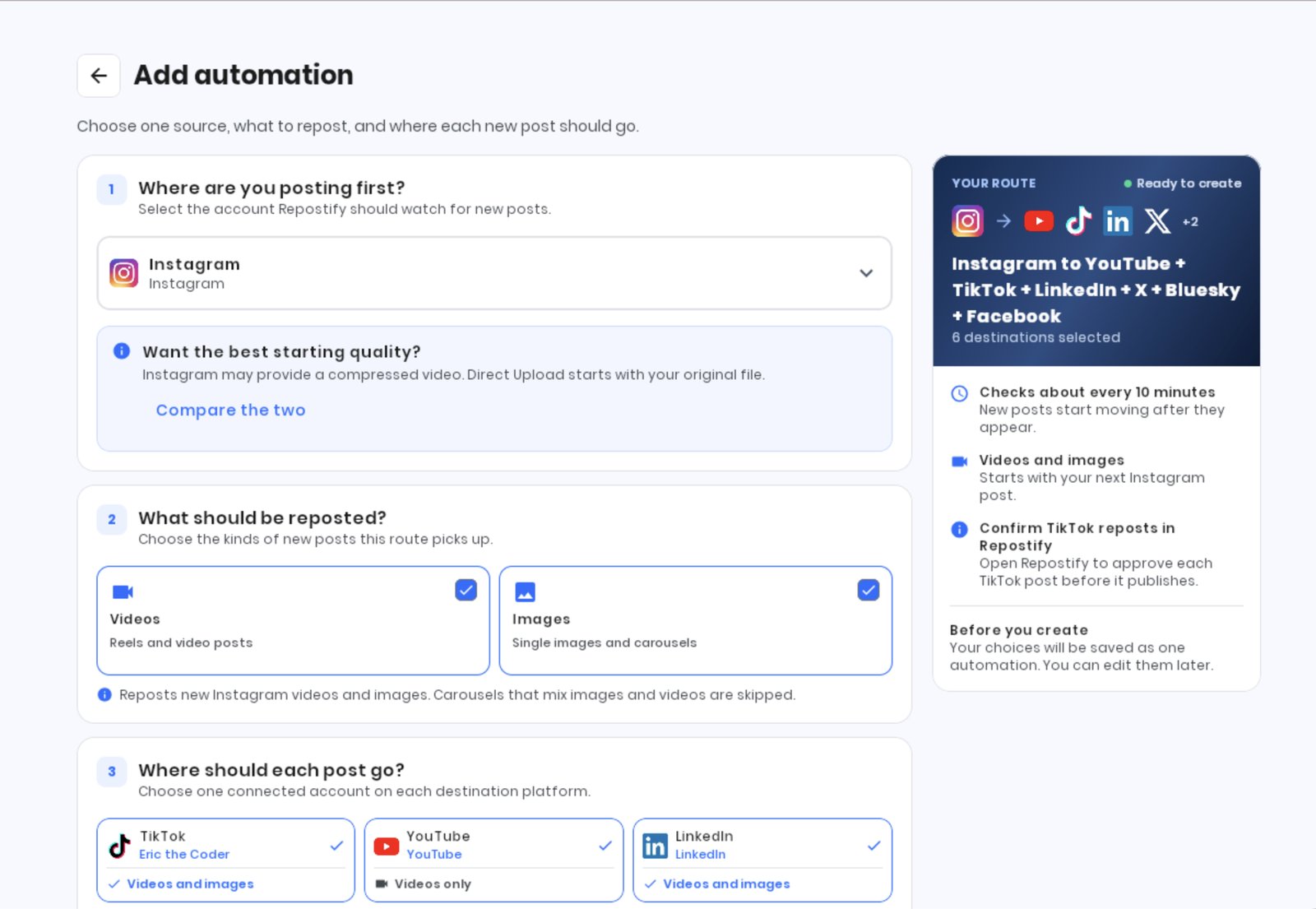
2. Pick what gets crossposted
You choose videos, images or both. Photos and carousels go out as one post, slides in order, wherever the platform supports them. A couple of limits to know about: X and Bluesky take up to 4 images per post, and YouTube Shorts only takes videos.
3. Let the captions fit
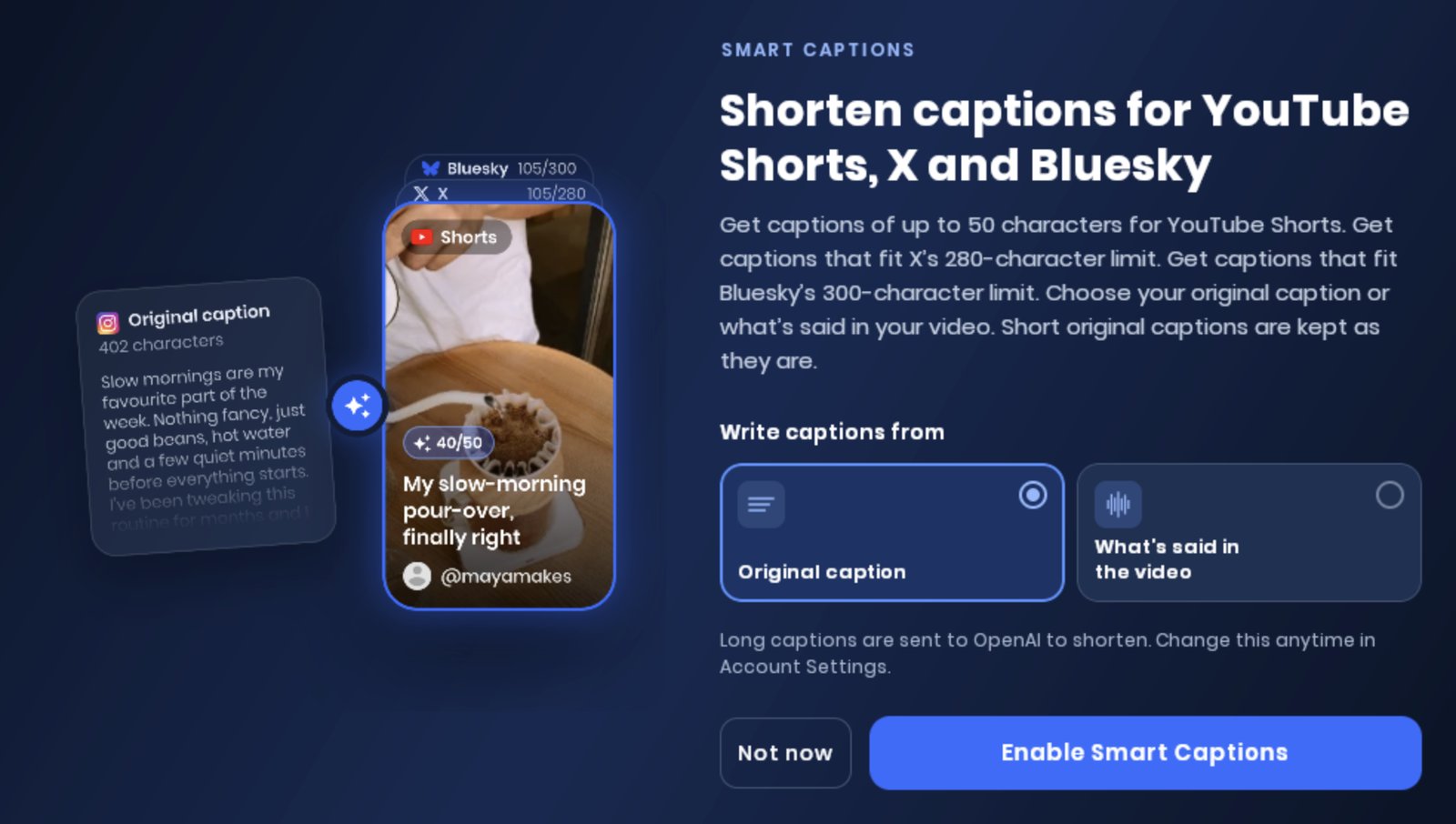
A long Instagram caption gets cut off almost everywhere else. Smart Captions fixes the three platforms where that bites:
- YouTube Shorts: a title of up to 50 characters
- X: fits the 280-character limit
- Bluesky: fits the 300-character limit
It writes from either your original caption or what's said in the video, which works better for talking videos. Short captions are kept as they are. Long captions are sent to OpenAI to shorten, and if you pick "what's said in the video", the audio is sent to be transcribed. Transcripts aren't stored.
4. The one that still needs a tap
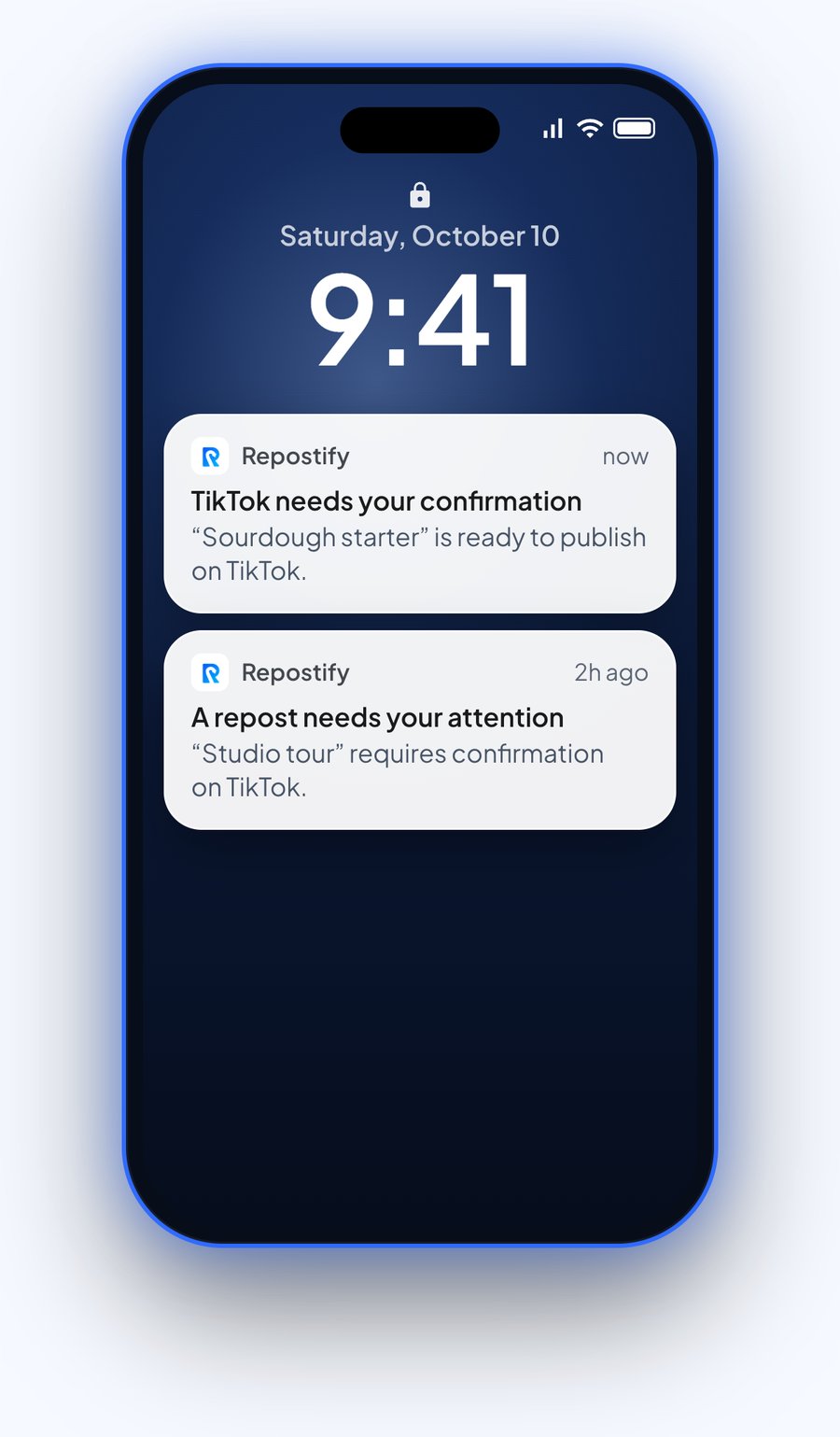
TikTok requires confirmation for automatic reposts through Repostify. So my phone gets a notification, I check the caption, add a branded content label if the video needs one, and publish. It takes a few seconds, but it isn't zero.
5. When quality matters, upload the original
Instagram can provide a compressed version of the video to apps, which can reduce the quality of a crosspost. When I care about quality, I skip Instagram as the source and use Direct Upload: I upload the original file once and it goes to all 7.
That's the screenshot at the top of this post. One upload at 8:58, and all 7 platforms showed it as published by 9:00.
6. See which platform liked it
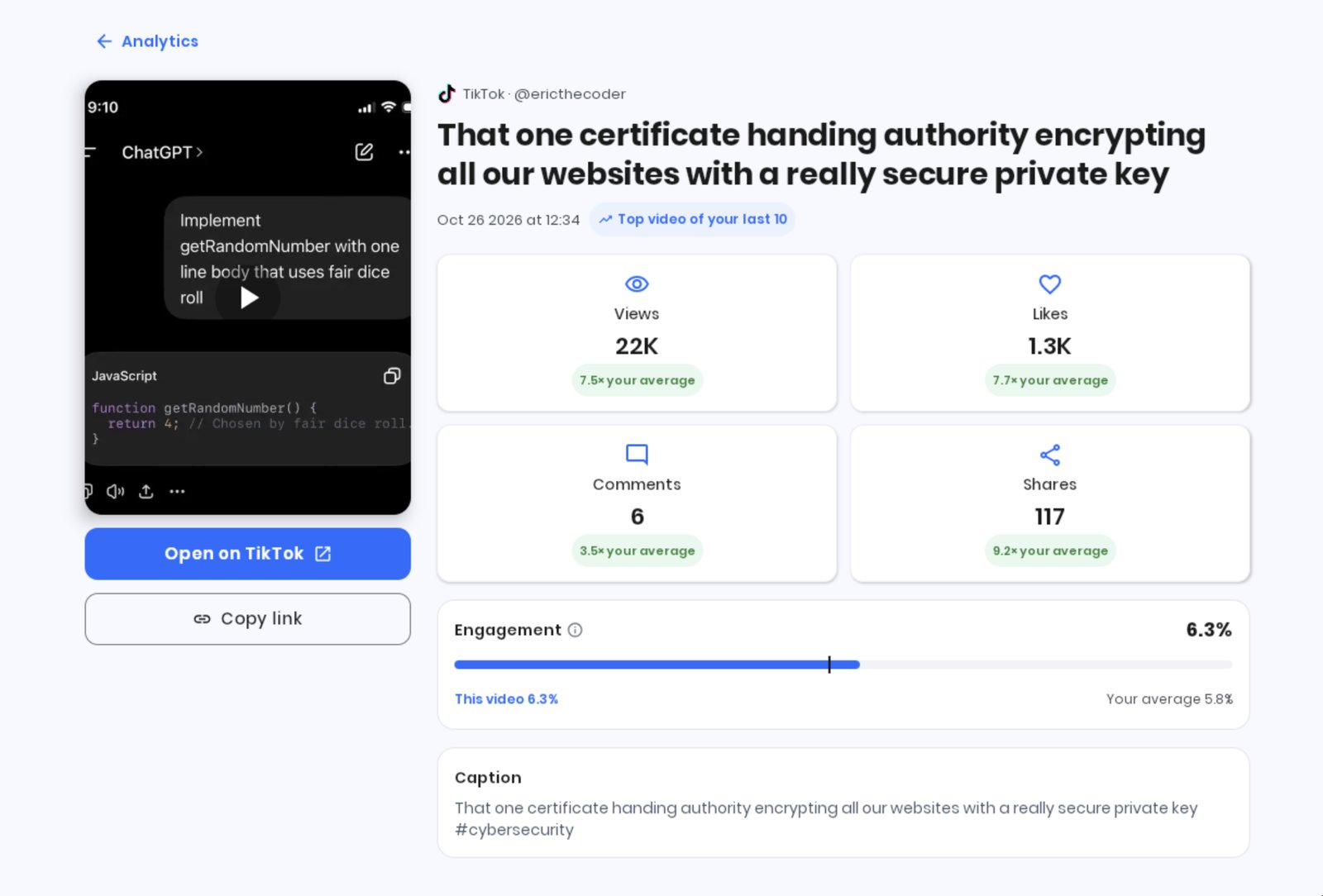
The part I check most is analytics. Open any video and you see how the same post did on each platform, compared with your usual numbers there. It's the fastest way to learn that a meme flopped on X and quietly did great on LinkedIn.
Where it falls short
- TikTok needs a tap for automatic reposts. That's TikTok's rule, not a setting.
- Instagram crossposts can be compressed. Use Direct Upload when quality matters.
- TikTok and YouTube can't be the starting point. Why Repostify can’t crosspost from TikTok or YouTube
- Threads isn't supported yet.
Want to try it?
Free for 14 days or 10 reposts. No card needed. It’s my app, so weigh that. Try Repostify free.